Digital Marketing Icons Set: Your Visual Toolkit for Clear Communication
A consistent visual language is a cornerstone of effective digital marketing. Whether you're designing a social media campaign, building a new website, or creating an internal training deck, the icons you choose convey concepts instantly. The Digital Marketing Icons Set is a curated collection designed to solve a common practical problem: the need for cohesive, professional, and adaptable symbols that fit directly into your production workflow.
A Set Designed for Implementation
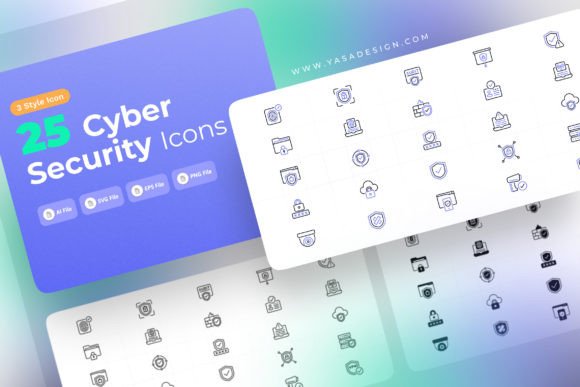
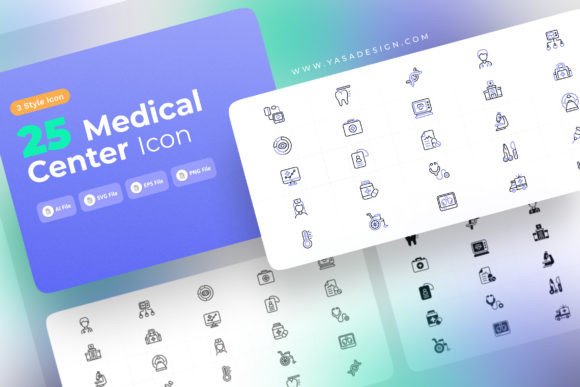
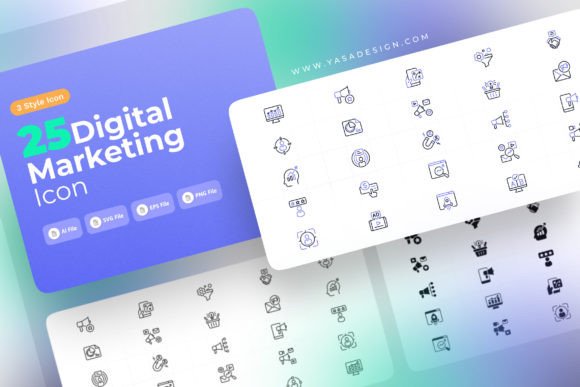
This icon set is more than just a folder of images. It is a production-ready asset built for integration. In a typical project, visual elements are often sourced piecemeal from various places, leading to inconsistencies in style, weight, and detail. This set provides a unified solution, offering 25 unique core icons representing essential digital marketing concepts—from AI and analytics to email and social media. Each concept is then delivered in three distinct styles: Line, Solid, and Flat Color. This tri-style approach is key for workflow flexibility. You might use the clean Line icons for a minimalist website header, the bold Solid icons for a printed brochure, and the vibrant Flat Color icons for an app interface, all while maintaining a recognizable family feel across your materials.
Integrating Icons into Your Creative Process
The utility of the Digital Marketing Icons Set becomes clear when mapped against standard project phases. During the planning and wireframing stage, you can use the icons in mockups to establish a visual hierarchy and communicate functionality to clients or team members before final art is created. In the execution phase, the editable SVG and EPS files allow designers to tweak colors, merge shapes, or adjust strokes to perfectly match the brand palette or layout specifics without starting from scratch. Finally, in the delivery and scaling phase, the included PNGs ensure compatibility with any platform or software that requires raster images, from blog posts to presentation tools like PowerPoint or Canva.
This set interacts seamlessly with other tools in your arsenal. The vector formats (SVG and EPS) are ideal for professional design software like Adobe Illustrator, Affinity Designer, or Figma. They can be placed alongside your logos, typography, and data visualizations, edited with the same tools, and exported as part of a composite design. The organized layer structure within each file is a critical detail for efficiency. It means you won't spend time ungrouping complex shapes or hunting for a specific element; you can quickly isolate, modify, or remove parts of an icon to suit your needs.
Practical Applications Across Roles
The audience for such a set is broad because its application is fundamental. For the marketer or entrepreneur creating their own content, the set provides a library of credible visuals to elevate slide decks, reports, or infographics without requiring deep design skills. An educator or blogger can use the icons to illustrate articles or tutorials, making complex topics like SEO or pay-per-click advertising more digestible. For the freelancer or agency designer, it serves as a reliable, time-saving base component. Starting with a well-crafted, editable icon allows you to focus creative energy on the larger layout or unique branding elements, rather than on drawing a basic "click" or "share" symbol from scratch.
Ensuring Consistency and Quality Control
A major workflow benefit of using a dedicated Digital Marketing Icons Set is consistency. When all icons share a common design DNA, the final output feels professional and cohesive. This is vital for brand identity and user experience. It also simplifies quality control. You or your team can establish a guideline: "All schematic diagrams use the Line style icons from our set." This removes ambiguity and speeds up the review process. Furthermore, the fully editable nature of the core vector files supports long-term use. As your brand evolves, you can adapt the icons—perhaps changing the corner radius or stroke width to match a new website design—ensuring your visual assets remain current without searching for a completely new set.
Key Features That Impact Your Workflow
Let’s examine the specific features from a practical implementation perspective.
- 25 Unique Icons: This covers the essential lexicon, providing a solid foundation. It’s a manageable number that offers versatility without being overwhelming or cluttered.
- 3 Style Variations (Line, Solid, Flat Color): This gives you immediate contextual options. You can maintain thematic unity across different media types (print vs. digital) or design moods (technical vs. playful) by simply switching styles.
- Ready to Use: The files are formatted and prepared. There's no need for cleanup, alignment, or format conversion before basic use, which is crucial when time is limited.
- Fully Editable: This is the gateway to customization. You can recolor, resize, deconstruct, or combine icons to create new derivatives that fit precise project requirements.
- Suitable for Print, Web, Apps, Infographics: The multi-format delivery (vector and raster) means the set is inherently cross-platform. You don’t need separate assets for different outputs.
- Organized File and Layer Structure: This behind-the-scenes organization is a profound efficiency booster. It reflects an understanding of the professional user’s need for logical, predictable assets.
Preparation and Long-Term Asset Management
To integrate the Digital Marketing Icons Set smoothly, a little preparation goes a long way. Upon downloading, take a moment to explore the file structure. Familiarize yourself with the naming convention and the three style folders. Consider importing the SVG or EPS files into your design software’s asset library or symbol panel for easy drag-and-drop access in future projects. For teams, establish a shared location for these assets and document a brief style guide note on their intended use. This turns a downloaded file into a living, reusable component of your brand toolkit.
The set’s design also supports scalability. As your marketing efforts grow, you can use the same icons across more touchpoints—from a startup’s single website to a larger company’s suite of apps, training materials, and conference presentations. Their adaptability ensures they won’t become obsolete as your projects become more complex.
From Download to Finished Project
The journey from downloading the Digital Marketing Icons File to having it in a finished project is straightforward. A common workflow might be: 1) Select the required icon concept (e.g., "AI") from the set. 2) Choose the style appropriate for your medium (e.g., Flat Color for a web graphic). 3) Open the EPS file in Illustrator, change its fill color to your brand’s accent hue, and export it as needed. 4) Place it into your web design mockup in Figma alongside other UI elements. Because the set is comprehensive and organized, these steps are purely productive, not investigative.
Ultimately, this icon set is a practical tool that fits into the implementation stage of countless projects. It removes a common friction point—finding adequate visuals—and provides a reliable, editable, and professional resource. By offering multiple styles and formats in an organized package, it allows professionals, creators, and businesses to maintain visual consistency, speed up their production process, and communicate digital marketing concepts with clarity and style.